How FendLand works
How FendLand works,
in four stages
Your deed is public record, which is where all of this starts. FendLand works through it in order: find what is exposed, remove what can be removed, guard what cannot, and let you choose who can reach you about the property.
- 1Identify
- See what is exposed
- 2Remove
- Get off the lists
- 3Protect
- Guard what is left
- 4Control
- Choose who reaches you
Stage 1: Identify
Find out what is already out there
Both of these are free and neither needs an account. Start here, because everything after it depends on knowing which sites are publishing you and who is making contact.
- Exposure CheckFreeSee which people-search sites and data brokers are listing your name, address and phone.
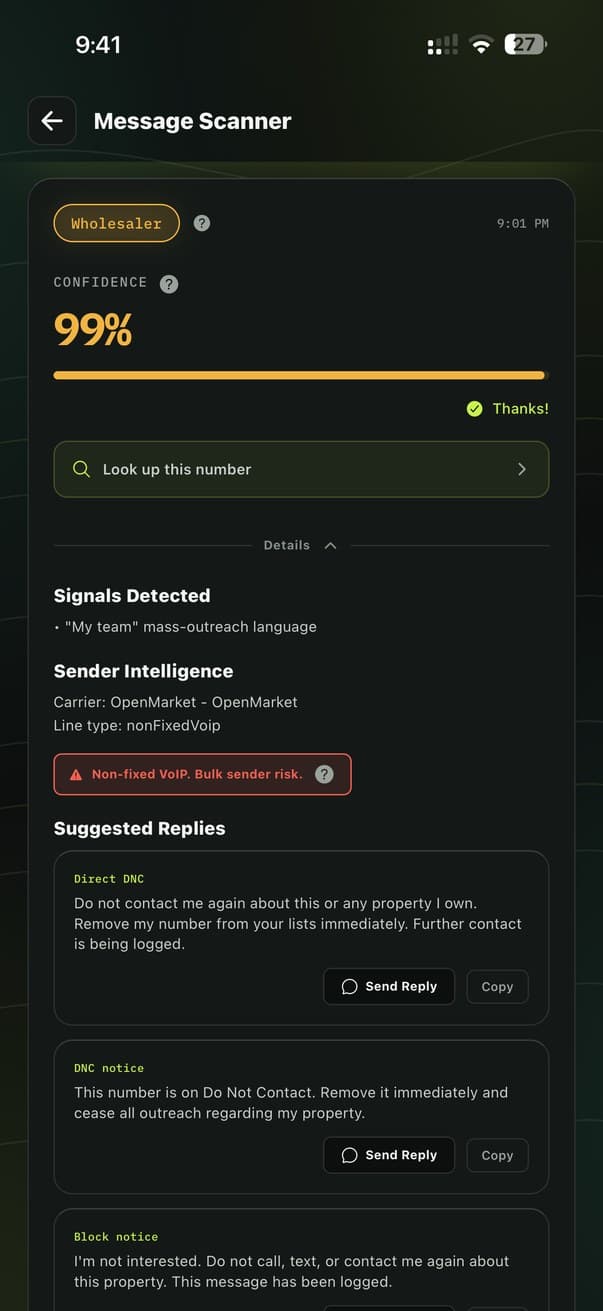
- Message ScannerFreePaste a suspicious text and find out whether it came from a wholesaler, an investor, an agent or a scam.
Community reports
Scan a number other FendLand users have already flagged and you see what they reported alongside your own result. Reports are anonymous and nothing ties one back to you.
Stage 2: Remove
Get your details off the broker lists
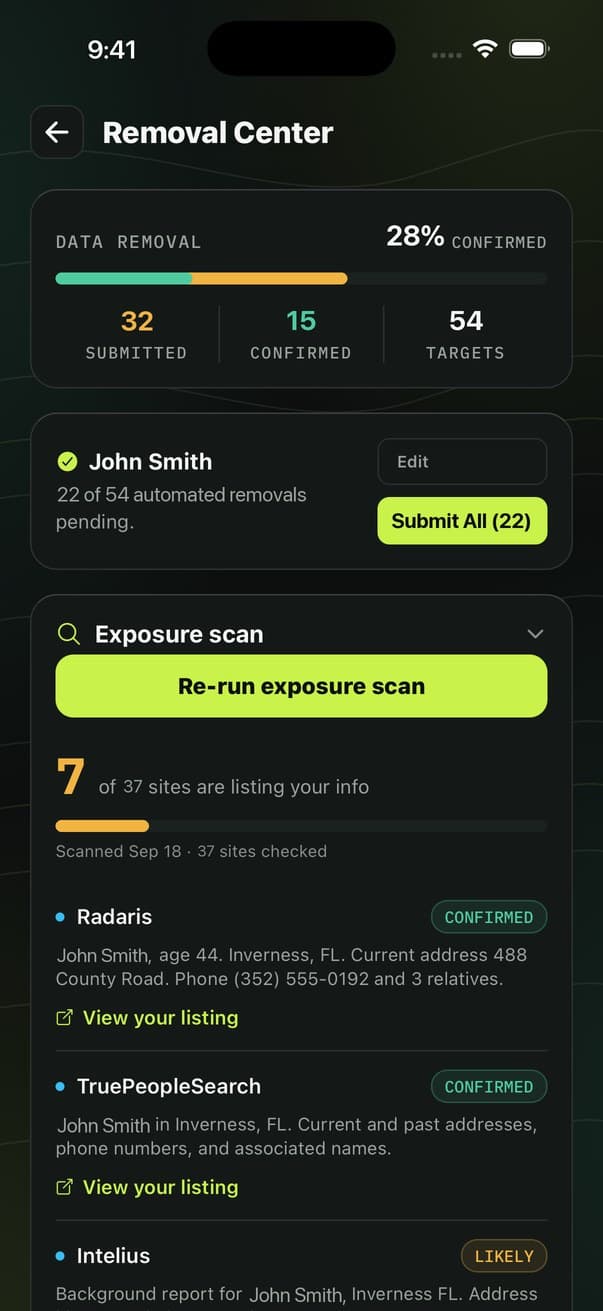
The texts arrive because your details are on lists anyone can buy. This stage removes your info from most of those lists for you, walks you through the rest, and re-checks every 90 days in case they relist you.
Stage 3: Protect
Protection for what stays exposed
Removals take time to work through, and some exposure is permanent because your deed is public record. These four cover what a stranger can do with what is left: reach you, take your number, redirect your money, or file against your property.
- Property Spam ProtectionShield ProWholesaler texts filtered on your phone before delivery, and known spam callers blocked or labelled.
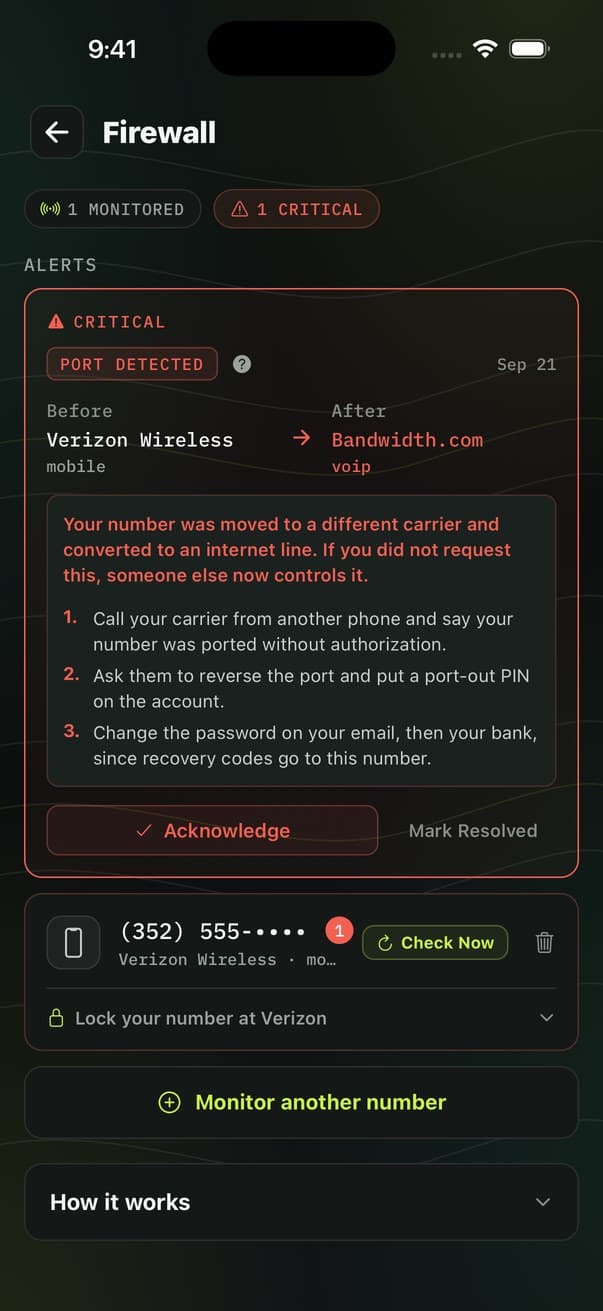
- Phone ProtectionShield ProYour number checked daily for the carrier changes that mean a port-out or SIM swap.
- Wire Fraud ProtectionShield ProForward a closing email and get the sender, domain and links checked before you wire.
- Title WatchShield ProGet enrolled in your county's free alert for anything recorded against your name.
Stage 4: Control
Choose who can reach you about your property
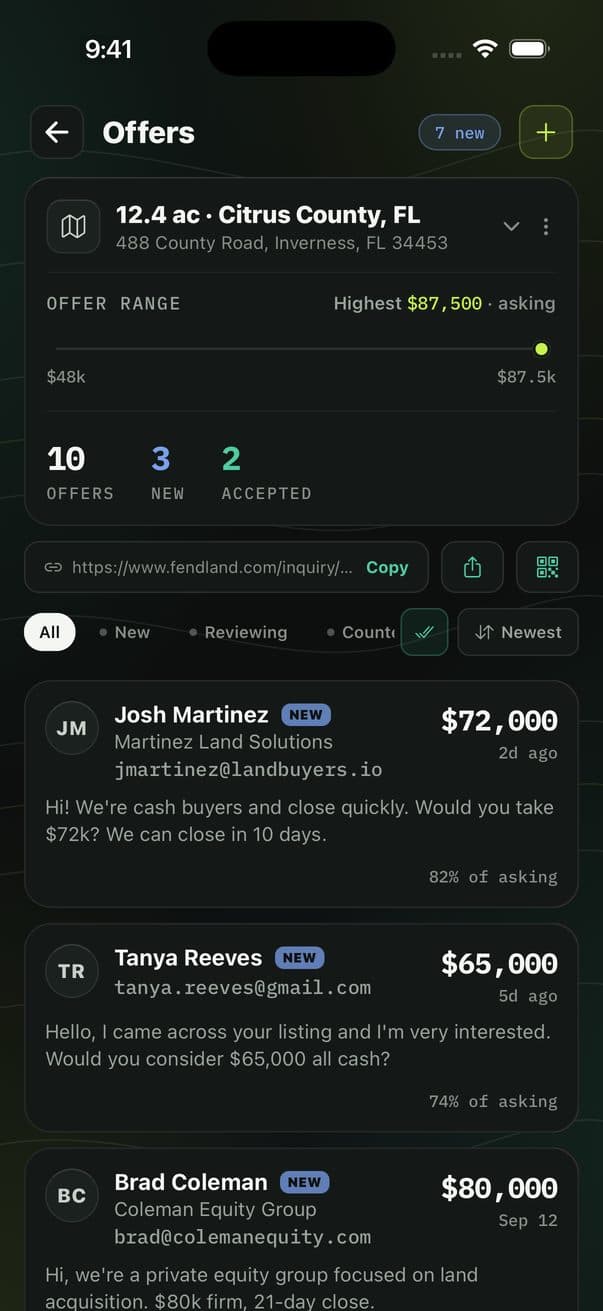
The first three stages close things off. This one is for when you do want to hear an offer, plus the record of everything the other stages did.
Evidence Log
Every scan you run is saved with its verdict, confidence, carrier details and timestamp. A documented pattern with dates is what a TCPA complaint or an FCC filing needs.
Which features run in the browser, on iPhone and on Android
The exposure check and scanner work in a browser with no account, and a free account adds step-by-step removal you do yourself. Wire Fraud Protection works from any email client, because it starts with you forwarding the message. The rest need the app, because they act on your phone rather than on a page. One of them is iPhone only.
| Feature | Browser | iPhone | Android |
|---|---|---|---|
| Exposure Check | Free, no account | Yes | Yes |
| Message Scanner | Free, no account | Yes | Yes |
| Wire Fraud Protection | Yes | Yes | Yes |
| Removal Center | Free account | Yes | Yes |
| Spam text filter | No | Yes | No |
| Spam call blocking | No | Blocks and labels | Blocks only |
| Phone Protection | No | Yes | Yes |
| Title Watch | No | Yes | Yes |
| Offers | No | Yes | Yes |
The text filter is iPhone only because Apple built an API for it and Android has no equivalent, so nobody can offer on-device text filtering there. Call blocking runs on both, but only Apple's Call Directory can attach a name to a blocked caller, so on Android a flagged number is stopped without a label. Full detail on the spam protection page.
Start with stage one
The exposure check and the scanner are free and need no account. You can see what is out there before deciding anything else.